Showing posts with label Mobile Phone Hacking. Show all posts
Showing posts with label Mobile Phone Hacking. Show all posts
Tuesday, 6 August 2013
0
Tuesday, 6 August 2013
PRABH KARAN SINGH

Read more...
How to Bypass Phone and SMS verification of Any Website

Nowadays,
Almost most Websites reqired sms verification which includes Google, Facebook, YouTube, Online Shopping Sites and Other Survey Websites.
First of all we should understand why SMS and
Phone Verification System is Important?
* Keep More Visitors
for Market
*
Providing Extra Security for their Website
* Keep Spammers out
* Daily Advertisement and promotional ads daily
* Keep Spammers out
* Daily Advertisement and promotional ads daily
Rather we can able to create and Bypass gmail (facebook,
youtube, other shopping sites) without SMS verification. Because gmail allow to
create only few account. When you try to create more account with same mobile
number, google restricted and you can't create more account. so we can create
counterless gmail accounts using following steps.
This method is very useful to Bypass SMS verification and useful
when you need to Sign up any account and do not feel comfortable to giving your
real number or if you want to create multiple account.
Lets Start Step by Step:
1)
First go to this Website : Receive-Sms
Online
2) Copy any one number and paste it where they are asking SMS Verification.
2) Copy any one number and paste it where they are asking SMS Verification.
3) Simply come back
and click the number which you have selected, check it out there is your code
sent by google, youtube or whatever else.
ALSO LIKE ON FACEBOOK PAGE FOR DAILY UPDATES
Wednesday, 5 June 2013
0
Wednesday, 5 June 2013
PRABH KARAN SINGH

How much data flows through the internet? It is difficult to
estimate but according to Cisco's annual report annual global internet
traffic will pass the zettabyte threshold by the end of 2015, and will
reach 1.4 zettabytes per year by 2017. A zetta is one followed by twenty
one zeroes.
Read more...
Mobile devices to drive majority internet traffic: Report
Mobile devices to drive majority internet traffic: Report

How much data flows through the internet? It is difficult to
estimate but according to Cisco's annual report annual global internet
traffic will pass the zettabyte threshold by the end of 2015, and will
reach 1.4 zettabytes per year by 2017. A zetta is one followed by twenty
one zeroes.
Currently, about 43.6 exabytes (one followed by 18
zeroes) of data zips across the internet every month. This will
increase by about 23 per cent in the next five years to reach 1.4
zettabytes per year or 120.6 exabytes per month by 2017.
In the
previous five years, between 2007 and 2012, internet traffic grew
fourfold. The latest report predicts that it will grow threefold in the
next five years.
By 2017, wired devices will account for 45 per
cent of IP traffic, while Wi-Fi and mobile devices will account for 55
percent of IP traffic. In 2012, wired devices accounted for the majority
of IP traffic at 59 per cent, the report said.
There will be
nearly three networked devices per capita in 2017, up from nearly two
networked devices per capita in 2012. Accelerated in part by the
increase in devices and the capabilities of those devices, IP traffic
per capita will reach 16 gigabytes per capita by 2017, up from 6
gigabytes per capita in 2012.
Consumer internet traffic, which
includes fixed traffic, generated by households, university populations,
and internet cafes constitutes over 80 percent of the total internet
traffic in 2012. The remaining is business internet traffic consisting
of wide area networks (WAN) and business or government related traffic, the Cisco report said.
Nearly half of all IP traffic will originate with non-PC devices by
2017. In 2012, only 26 per cent of consumer internet traffic originated
with non-PC devices, but by 2017 the non-PC share of consumer IP traffic
will grow to 49 percent. PC-originated traffic will grow at an annual
growth rate of 14 per cent, while TVs, tablets, mobile phones, and
machine-to-machine (M2M) modules will have traffic growth rates of 24
per cent, 104 percent, 79 per cent, and 82 per cent, respectively.
Globally, IP video traffic will be 73 per cent of all IP traffic (both
business and consumer) by 2017, up from 60 per cent in 2012. This
percentage does not include the amount of video exchanged through
peer-to-peer (P2P) file sharing. The sum of all forms of video (TV,
video on demand [VoD], Internet, and P2P) will continue to be in the
range of 80 and 90 per cent of global consumer traffic by 2017, the
report said.
Internet video to TV doubled in 2012. It will
continue to grow at a rapid pace, increasing fivefold by 2017. Internet
video to TV will be 14 percent of consumer Internet video traffic in
2017, up from 9 percent in 2012.
IP traffic is growing fastest in the Middle East and Africa, followed by Asia Pacific. Traffic in the Middle East and Africa will grow by 38 percent between 2012 and 2017 while in Asia Pacific it will increase by 26 percent.
Tuesday, 4 June 2013
0
Tuesday, 4 June 2013
PRABH KARAN SINGH


Read more...
ZTE Grand X2 And Its Price, features & Specifications
ZTE Grand X2 And Its Price, features & Specifications
ZTE Grand X2 Price: A new smartphone has debuted from smartphone maker ZTE this week called the Grand X2. The phone runs on Android operating system, but uses a processor much the different from those we’re used to seeing inside Android devices. The phone is the powered by Intel Atom processor. Perhaps is the ZTE Grand X2 In’s greatest claim to fame is the hardware found under its hood – a dual-core Intel Atom Z2580 2GHz processor, as well as 8GB of the storage and 1GB of RAM (storage expansion available via microSD up to 32GB). The Intel-Inside aspect aside, this handset also has a higher-end display, measuring in at 4.5-inches and an HD 1280 x 720 resolution.ZTE Grand X2 Features & Specifications:
The 4.5 inch display on the ZTE Grand X2 comes with a resolution of 1280 x 720 pixels, this Intel Atom Z5280 processor is dual core with a clock speed of the 2GHz, the handset also comes and 2GB of RAM. Other specifications on the ZTE Grand X2 include front and rear facing cameras, up front we have a 1 MP camera for video chat, on the back we have an 8 MP camera, it also comes with 8GB of built in storage and a microSD card slot. The ZTE Grand Z2 comes with the Android Jelly Bean and features a 2,000 mAh Battery, it will launch in the Europe in quarter three, there are no details on the pricing as yet.And the Price of ZTE Grand X2 Is Coming Soon…
Wednesday, 29 May 2013
0
Wednesday, 29 May 2013
PRABH KARAN SINGH
 The Samsung Galaxy Quattro l8552 which was seen last week is now
official, This phone was name as Galaxy Win earlier but last week we got
an update from Samsung that it is now known as Galaxy Grand Quattro,
The logic behind that is Samsung Galaxy Quattro l8552 wants to create
another series just like they have Galaxy S series
and Galaxy Note series as the Galaxy Grand was a huge success for
Samsung Galaxy Quattro l8552. Although both looks quite similar to each
other still there are a lot of difference between i8552 with
i9080,i9082.
The Samsung Galaxy Quattro l8552 which was seen last week is now
official, This phone was name as Galaxy Win earlier but last week we got
an update from Samsung that it is now known as Galaxy Grand Quattro,
The logic behind that is Samsung Galaxy Quattro l8552 wants to create
another series just like they have Galaxy S series
and Galaxy Note series as the Galaxy Grand was a huge success for
Samsung Galaxy Quattro l8552. Although both looks quite similar to each
other still there are a lot of difference between i8552 with
i9080,i9082.

Features of Samsung Galaxy Grand Quattro GT-I8552:
Samsung Galaxy Grand Quattro GT-I8552 features GPRS, Bluetooth v2.1, 3G, Wi-Fi, EDGE, Wi-Fi hotspot, A-GPS connectivity options. MicroUSB v2, 3.5 mm audio jack. Samsung Galaxy Grand Quattro GT-I8552 smartphone is also loaded with 3D sound effect. H.263, WMV player, H.264, MP4, MP3, eAAC+, WMA, WAV player, Data Monitoring, Walkman Application, HD Voice, TrackID, PlayNow, Handwriting Recognition, MMS Enabled, Predictive Text Input, Motion Gaming, 3D Games, Audio and Video Streaming, Calculator, Alarm, Flight Mode, Calendar, E-Manual, vCard, Media Go, Audio Recording, Voice Input are the additional features of Samsung Galaxy Grand Quattro GT-I8552. Google Talk, Facebook, Instant Messaging, Gmail, Bookmarks, Google, NeoReader Barcode Scanner, Google Play, Google Voice, YouTube, Widgets, News and Weather Forecasts come preloaded in Samsung Galaxy Grand Quattro GT-I8552.
 Specifications of Samsung Galaxy Grand Quattro GT-I8552:
Dual SIM smartphone is powered by Quad Core processor. Good visuals on the display. Samsung Galaxy Grand Quattro GT-I8552 runs on Android 4.1. with 1 GB RAM space is provided in this Dual SIM Samsung Galaxy Grand Quattro GT-I8552 Smartphone. Memory space expended up to 32 GB with microSD card.
Read more...
Samsung Galaxy Grand Quattro GT-I8552 And Its Price, features & Specification
Samsung Galaxy Grand Quattro GT-I8552 And
Its Price, features & Specification.
The Latest Galaxy Grand Quattro GT-I8552 by the SAMSUNG . It’s a Latest Android Smartphone will be Available in both single and dual SIM Versions from 2013 and You Also Check Samsung Galaxy Grand Quattro GT-I8552 Price, Samsung Galaxy Grand Quattro GT-I8552 Featueres, Samsung Galaxy Grand Quattro GT-I8552 Specifications & Samsung Galaxy Grand Quattro GT-I8552 Images.Features of Samsung Galaxy Grand Quattro GT-I8552:
Samsung Galaxy Grand Quattro GT-I8552 features GPRS, Bluetooth v2.1, 3G, Wi-Fi, EDGE, Wi-Fi hotspot, A-GPS connectivity options. MicroUSB v2, 3.5 mm audio jack. Samsung Galaxy Grand Quattro GT-I8552 smartphone is also loaded with 3D sound effect. H.263, WMV player, H.264, MP4, MP3, eAAC+, WMA, WAV player, Data Monitoring, Walkman Application, HD Voice, TrackID, PlayNow, Handwriting Recognition, MMS Enabled, Predictive Text Input, Motion Gaming, 3D Games, Audio and Video Streaming, Calculator, Alarm, Flight Mode, Calendar, E-Manual, vCard, Media Go, Audio Recording, Voice Input are the additional features of Samsung Galaxy Grand Quattro GT-I8552. Google Talk, Facebook, Instant Messaging, Gmail, Bookmarks, Google, NeoReader Barcode Scanner, Google Play, Google Voice, YouTube, Widgets, News and Weather Forecasts come preloaded in Samsung Galaxy Grand Quattro GT-I8552.
Dual SIM smartphone is powered by Quad Core processor. Good visuals on the display. Samsung Galaxy Grand Quattro GT-I8552 runs on Android 4.1. with 1 GB RAM space is provided in this Dual SIM Samsung Galaxy Grand Quattro GT-I8552 Smartphone. Memory space expended up to 32 GB with microSD card.
And the Price of Samsung Galaxy Grand Quattro GT-I8552 Is Rs. 16,570/-
ALSO LIKE ON FACEBOOK PAGE FOR DAILY UPDATES
Monday, 27 May 2013
0
Monday, 27 May 2013
PRABH KARAN SINGH
Micromax A88 Canvas Music Price In India: Indian handset manufacturer Micromax has launched a new Android smart phone, The Canvas Music A88 for the Rs. 8,499. We went hands on with the Micromax A88 Canvas Music, with the device seems well made, with the interface seems fairly smooth. Considering all Specs are average, the biggest value proposition are JBL headphones. Comfy foam ear cups the headphones give good amounts of bass with sound wonderfully accurate. Packed with 1800 mAh battery, the phone ensures supports a talk time of the 5 hours. The device runs on the Android 4.1 Jelly Bean mobile operating system.with a 1 GHz Dual-Core processor. The phone has a 4.5” best full touchscreen display with sports a 5.0 MP rear camera and a 0.3MP front camera with an expandable storage capacity of up to 32 GB.

 Read more...
Micromax A88 Canvas Music And Its Price, features & Specifications
Micromax A88 Canvas Music And Its Price, features & Specifications
Presenting new Micromax A88 Canvas Music launched. It’s an Amazing Mobile You Also Check the Micromax A88 Canvas Music Price, Micromax A88 Canvas Music features, Micromax A88 Canvas Music Specifications & Micromax A88 Canvas Music Images.Micromax A88 Canvas Music Price In India: Indian handset manufacturer Micromax has launched a new Android smart phone, The Canvas Music A88 for the Rs. 8,499. We went hands on with the Micromax A88 Canvas Music, with the device seems well made, with the interface seems fairly smooth. Considering all Specs are average, the biggest value proposition are JBL headphones. Comfy foam ear cups the headphones give good amounts of bass with sound wonderfully accurate. Packed with 1800 mAh battery, the phone ensures supports a talk time of the 5 hours. The device runs on the Android 4.1 Jelly Bean mobile operating system.with a 1 GHz Dual-Core processor. The phone has a 4.5” best full touchscreen display with sports a 5.0 MP rear camera and a 0.3MP front camera with an expandable storage capacity of up to 32 GB.
Micromax A88 Canvas Music Features With Specifications:
- 4.5-inch (854 x 480 pixels) capactivie touch screen display
- Android 4.1.2 (Jelly Bean)
- 1 GHz dual-core MediaTek MT6577 processor
- Dual SIM (GSM + GSM) with dual standby
- 5MP Auto Focus Camera, dual LED Flash
- 0.3 MP front-facing camera
- 3.5mm audio jack, FM Radio
- 512MB RAM, 4GB internal memory, expandable memory up to 32GB with microSD
- 3G,Wi-Fi 802.11 b/g/n, Bluetooth, GPS
- 1800 mAh battery
And the Price of Micromax A88 Canvas Music Is Rs. 8,499/-
ALSO LIKE ON FACEBOOK PAGE FOR DAILY UPDATES
Tuesday, 7 May 2013
0
Tuesday, 7 May 2013
PRABH KARAN SINGH
Read more...
Samsung Galaxy Note 3 Specifications Leaked
Samsung Galaxy Note series was successful, undoubtedly. Inspite of
large screen sizes or in simple terms being a Phablet, it attracted a
large audience. Galaxy Note 2 sales hit a whooping 3 million by
November!
Samsung just released Galaxy S4, and is now preparing for it’s next phone – Galaxy Note 3. Galaxy S4 featured an Octacore processor which is pretty new and powerful. We expect Galaxy Note 3 to carry the same.

Sam mobile just gave us a rough picture of what the specifications of Note 3 would be.
Galaxy Note shall be launching by the end of summer or later this year.
Samsung just released Galaxy S4, and is now preparing for it’s next phone – Galaxy Note 3. Galaxy S4 featured an Octacore processor which is pretty new and powerful. We expect Galaxy Note 3 to carry the same.
Sam mobile just gave us a rough picture of what the specifications of Note 3 would be.
Specifications -
- 6-inch SAMOLED Full HD Display
- 13-megapixel camera
- Exynos 5 Octa Core processor – The processor might feature 2 Quadcore CPU like in Galaxy S4
- GPU - Mali 450 (8 cores)
- 3GB of RAM – Do we actually need 3 GB RAM in android devices?
- It will run Android 4.2.2 or 4.3
- Samsung’s Touch Wiz Nature UX 2.0
Galaxy Note shall be launching by the end of summer or later this year.
ALSO LIKE ON FACEBOOK PAGE FOR DAILY UPDATES
Saturday, 20 April 2013
0
Saturday, 20 April 2013
PRABH KARAN SINGH
Read more...
Temple Run and Many More Games Finally now Windows Phone Marketplace
Windows Phone 8 users should rejoice now and brag about there new
smartphones because the most popular game on Android and iOS , Temple
Run has Finally landed on the shores of Windows Marketplace with many
more interesting games which are Gravity Guy 2, Chaos Rings, 6th
Planet, Propel Man, Orcs Must Survive, Ruzzle and Fling Theory.

But, there is a sad news for all those Windows Phone 8 users who have less than 512 MB ram. The Temple Run will only run on those Windows Phone 8 devices which have ram more than 512 MB that is 1Gb is minimum for running this Cool Game. It is also sad that Game would not run on Windows Phone 7 and 7.8 Devices even though they have 1GB Ram. Currently, game can only run on HTC 8X , Nokia Lumia 920 and 820.
Microsoft did added Temple Run on Windows Marketplace but forget WP7 And 512 MB Ram phone users. This means that Microsoft will not be able to compete with Android and iOS Devices because the even the lowest end Android Smartphone and iPhone 3GS Can run Temple Run without having 1 GB of Ram. I Hope that Microsoft Make Temple Run Compatible with WP7 And 512 MB Ram Phones in the Future.
But, there is a sad news for all those Windows Phone 8 users who have less than 512 MB ram. The Temple Run will only run on those Windows Phone 8 devices which have ram more than 512 MB that is 1Gb is minimum for running this Cool Game. It is also sad that Game would not run on Windows Phone 7 and 7.8 Devices even though they have 1GB Ram. Currently, game can only run on HTC 8X , Nokia Lumia 920 and 820.
Microsoft did added Temple Run on Windows Marketplace but forget WP7 And 512 MB Ram phone users. This means that Microsoft will not be able to compete with Android and iOS Devices because the even the lowest end Android Smartphone and iPhone 3GS Can run Temple Run without having 1 GB of Ram. I Hope that Microsoft Make Temple Run Compatible with WP7 And 512 MB Ram Phones in the Future.
ALSO LIKE ON FACEBOOK PAGE TO FOR UPDATES
Thursday, 18 April 2013
9
Thursday, 18 April 2013
PRABH KARAN SINGH
Read more...
Subway Surfers Android Hack No Root – Increase Coins, Score, Unlock Everything
Phone gaming has been getting more popular with time and is easily
replacing gaming consoles. Temple Run is one of those games which
started this era.
Now people are leaving Temple Run for a new game and that is Subway Surfers. Subway Surfers is a great game and I’ve played a lot on it.
Note - We have Updated the Steps for Rome and Sydney. Please have a look. This hack works for Sydney as WELL!
We also recommend using ES File Explorer for this hack and please watch the video for further instructions also.
 I’ve
come up with a whole new trick which allows you to increase coins in
your game. It will increase your score so you can easily tease your
friends. You could unlock all the missions and other things and get 200
Hoverboards, 200 Head Start and 200 Mega Head Start. All your upgrades
will also be completed. and you will also unlock every board, character
and trophy.
I’ve
come up with a whole new trick which allows you to increase coins in
your game. It will increase your score so you can easily tease your
friends. You could unlock all the missions and other things and get 200
Hoverboards, 200 Head Start and 200 Mega Head Start. All your upgrades
will also be completed. and you will also unlock every board, character
and trophy.
Now lets make the post shorter and start with the instructions.

Now people are leaving Temple Run for a new game and that is Subway Surfers. Subway Surfers is a great game and I’ve played a lot on it.
Note - We have Updated the Steps for Rome and Sydney. Please have a look. This hack works for Sydney as WELL!
We also recommend using ES File Explorer for this hack and please watch the video for further instructions also.
Now lets make the post shorter and start with the instructions.
Steps :-
- Go to Manage Apps, select Subway Surfers, tap on Clear Data and Uninstall the game.
- Download this Subway Surfers Android Hack.zip for 2 billion score and this zip file for 6 million score
- Extract it in the Android>Data folder of SD Card or Internal Memory
(Extract it wherever you see Android folder and a data folder inside that) - Re-download subway surfers and the hack would continue to work

ALSO LIKE ON FACEBOOK PAGE TO FOR UPDATES
Tuesday, 9 April 2013
0
Tuesday, 9 April 2013
PRABH KARAN SINGH
Read more...
HTC One out in India for Rs 42,900 with 1GB free data for Reliance users
HTC’s new device the HTC One is finally out in India and like other
flagship smartphones, this one also costs well above 40,000. The
smartphone is priced at Rs 42,900 and will be available in stores from
April end.
The company has also teamed with Reliance Communications Limited to offer Reliance users who buy the HTC One, 1GB of 3G data free for 3 months along with free sharing of unlimited text, music, pictures and videos via WhatsApp and Facebook.
Commenting on the launch, Nilanjan Mukherjee, Chief Revenue Officer, Reliance Communications Limited said, “We are happy to exclusively partner with HTC to bring the new HTC One in India. Every Reliance GSM subscriber can now avail 1GB of 3G data free for 3 months along with free sharing of unlimited text, music, pictures and videos through WhatsApp and Facebook for 3 months. We are also offering free BigFlix subscription for 3 months that will enable Reliance 3G users to watch the latest movies on the go without having to worry about any additional data charges.”
“Our bundled offers on RCOM’s superior 3G network is set to provide a compelling new experience with incredible affordability to Smartphone users across the country,”he further added.
 Key features of the device are:
• It has a 1.7GHz quad-core Snapdragon 600 processor with 2GB of RAM.
• 32 to 64GB of storage space.
• Bluetooth 4.0, NFC, LTE and a 2300mAh battery. It will support LTE as well.
• The HTC One has a 4.7 inch screen with with a 1920 x 1080 pixel resolution. That’s about 468 pixels per inch (ppi).
• It runs Android 4.1.2 but this isn’t stock Android and HTC has added a generous helped of its Sense UI to the smartphone.
• It has a 4 megapixel camera which HTC says are Ultrapixels. This means that the size of each pixel is much bigger than in regular smartphones as the camera has a much bigger sensor.
• The Homescreen has BlinkFeed which is live tile user interface. These are very similar to Windows Phone 8 tiles/how content appears on Flipboard. This too works like an aggregator for all your news and social media content including videos and photos. You can link Facebook and Twitter content to this. However you don’t have to keep clicking on a particular section tab to go to the actual content or it won’t redirect you to the app for that particular feed. The link or photos or videos will open as soon as you click on them.
• Sense Voice: HTC is promising users voice clarity even while talking in the midst of a large crowd.
• A built-in remote: The HTC One also comes with Sense TV, which will let users select TV channels, access program guides, adjust audio, etc with their smartphone. HTC is in discussion with cable operators in different countries, and hopes to offer a more interactive package for consumers, according to analysts who attended a conference with HTC.
• HTC BoomSound: HTC One has introduced for the first time on a phone, front-facing stereo speakers with a dedicated amplifier on the smartphone. It has BeatsAudio integration for a better music experience.
• Design: HTC has ditched plastic and the new body design is all aluminum and the smartphone has a unibody chassis with chamfered edges. It comes in both white and black, and a rounded rectangle look.
The company has also teamed with Reliance Communications Limited to offer Reliance users who buy the HTC One, 1GB of 3G data free for 3 months along with free sharing of unlimited text, music, pictures and videos via WhatsApp and Facebook.
Commenting on the launch, Nilanjan Mukherjee, Chief Revenue Officer, Reliance Communications Limited said, “We are happy to exclusively partner with HTC to bring the new HTC One in India. Every Reliance GSM subscriber can now avail 1GB of 3G data free for 3 months along with free sharing of unlimited text, music, pictures and videos through WhatsApp and Facebook for 3 months. We are also offering free BigFlix subscription for 3 months that will enable Reliance 3G users to watch the latest movies on the go without having to worry about any additional data charges.”
“Our bundled offers on RCOM’s superior 3G network is set to provide a compelling new experience with incredible affordability to Smartphone users across the country,”he further added.
HTC One in this photo. Image via HTC.
• It has a 1.7GHz quad-core Snapdragon 600 processor with 2GB of RAM.
• 32 to 64GB of storage space.
• Bluetooth 4.0, NFC, LTE and a 2300mAh battery. It will support LTE as well.
• The HTC One has a 4.7 inch screen with with a 1920 x 1080 pixel resolution. That’s about 468 pixels per inch (ppi).
• It runs Android 4.1.2 but this isn’t stock Android and HTC has added a generous helped of its Sense UI to the smartphone.
• It has a 4 megapixel camera which HTC says are Ultrapixels. This means that the size of each pixel is much bigger than in regular smartphones as the camera has a much bigger sensor.
• The Homescreen has BlinkFeed which is live tile user interface. These are very similar to Windows Phone 8 tiles/how content appears on Flipboard. This too works like an aggregator for all your news and social media content including videos and photos. You can link Facebook and Twitter content to this. However you don’t have to keep clicking on a particular section tab to go to the actual content or it won’t redirect you to the app for that particular feed. The link or photos or videos will open as soon as you click on them.
• Sense Voice: HTC is promising users voice clarity even while talking in the midst of a large crowd.
• A built-in remote: The HTC One also comes with Sense TV, which will let users select TV channels, access program guides, adjust audio, etc with their smartphone. HTC is in discussion with cable operators in different countries, and hopes to offer a more interactive package for consumers, according to analysts who attended a conference with HTC.
• HTC BoomSound: HTC One has introduced for the first time on a phone, front-facing stereo speakers with a dedicated amplifier on the smartphone. It has BeatsAudio integration for a better music experience.
• Design: HTC has ditched plastic and the new body design is all aluminum and the smartphone has a unibody chassis with chamfered edges. It comes in both white and black, and a rounded rectangle look.
0
PRABH KARAN SINGH
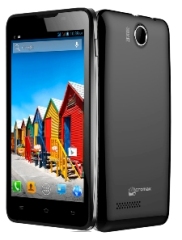 For those who can’t afford expensive Canvas series smartphones, here is
new feature specific smartphone Micromax A72 Canvas Viva. The ecommerce
portal infibeam.com is offering the device for RS 6,999. The company is
yet to launch it officially. The MRP of the device is Rs 7999.
For those who can’t afford expensive Canvas series smartphones, here is
new feature specific smartphone Micromax A72 Canvas Viva. The ecommerce
portal infibeam.com is offering the device for RS 6,999. The company is
yet to launch it officially. The MRP of the device is Rs 7999.
Infibeam.com is offering free shipping in India with the delivery time of 2-3 business days. The phone is listed as ‘in stock”. It is also offering EMI on the device.
It runs on Android 2.3.6 Gingerbread and is powered by a 1 GHz processor. It has a 5 inch Capacitive Touch Screen that is available with pinch zoom and multi touch options. It has a display resolution of 480x800 pixels giving you a vibrant and clear display.
It has connectivity options like Wi-Fi, GPS and Wi-Fi Hotspot the 3MP rear camera. The user can also take self-portraits and do video chat with the front VGA camera. The camera also allows one to zoom up to 4x. It also features an FM radio that allows you to record the songs on the FM. Now listen to music unlimited with this phone as it also has a music player and video player making life more exciting.
It has an internal storage capacity of 110MB expandable up to 32 GB. It has 256 RAM and 512 MB ROM. This phone runs on 2000 mAh battery giving you longer talk time and standby time.
Key Features
• 5 inch Capacitive Touch Screen
• Android 2.3.6 Gingerbread
• 1 GHz processor
• Wi-Fi, GPS and Wi-Fi Hotspot
• 3MP camera
• 256 RAM and 512 MB ROM
• 2000 mAh battery
Read more...
Micromax ultra cheap A72 Canvas Viva available online at Rs 6,999
Infibeam.com is offering free shipping in India with the delivery time of 2-3 business days. The phone is listed as ‘in stock”. It is also offering EMI on the device.
It runs on Android 2.3.6 Gingerbread and is powered by a 1 GHz processor. It has a 5 inch Capacitive Touch Screen that is available with pinch zoom and multi touch options. It has a display resolution of 480x800 pixels giving you a vibrant and clear display.
It has connectivity options like Wi-Fi, GPS and Wi-Fi Hotspot the 3MP rear camera. The user can also take self-portraits and do video chat with the front VGA camera. The camera also allows one to zoom up to 4x. It also features an FM radio that allows you to record the songs on the FM. Now listen to music unlimited with this phone as it also has a music player and video player making life more exciting.
It has an internal storage capacity of 110MB expandable up to 32 GB. It has 256 RAM and 512 MB ROM. This phone runs on 2000 mAh battery giving you longer talk time and standby time.
Key Features
• 5 inch Capacitive Touch Screen
• Android 2.3.6 Gingerbread
• 1 GHz processor
• Wi-Fi, GPS and Wi-Fi Hotspot
• 3MP camera
• 256 RAM and 512 MB ROM
• 2000 mAh battery
Tuesday, 19 February 2013
0
Tuesday, 19 February 2013
PRABH KARAN SINGH

Read more...
Finally Micromax A116 Quard Core Launched in Rs.13990
Finally Micromax A116 Quard Core Launched in Rs.13990
Last Month Announces A116 Canvas HD Micromax , now finally launched by the company at Rs 13,990. The phone, which features a 5-inch screen and is equipped with a quad-core processor, is now available online.
According to Micromax, the phone will be currently sold exclusively
online with a delivery time of 5-7 working days starting February 14,
2013.
1. The A116 Canvas HD is powered by MediaTek's MT6589 1.2 GHz quad core processor and runs Android 4.1 (Jelly Bean).
2. The phone has a 5-inch HD IPS screen with resolution of 1280x720 and a color depth of 16.7 million.
3. The phone is packed with a 2100mAh battery.
4. The phone sports an 8 megapixel rear camera with LED flash and multiple camera settings such as night mode, 4X zoom.
5. The 3G enabled A116 will help users in faster browsing. The phone can also play HD quality videos.
6. The phone has an internal storage of 4 GB, which is expandable to up to 32 through a micro SD card. It has 1GB of RAM.
Phone Specifications :
Available on : www.micromaxinfo.com
Saturday, 2 February 2013
0
Saturday, 2 February 2013
PRABH KARAN SINGH

Read more...
TATA DOCOMO 3G HACKING TRICK
The Tata Docomo 3G
trick is leaked among its customers.But you must have 3G enabled
handset to use Tata Docomo 3G service.One of my friend in Jalandhar getting
150-200Kb/s in his mobile Nokia 5235.Keep in mind 3G speed depend on
your tower conjunction,your area,your mobile capability e.t.c.
Tata Docomo 3G tricks for Mobile users 
- Download the UCWEB 7.2 provided here.when you downloaded the UCWEB 7.2 just run it.
- The password for the above UCWEB modded handler version is www.wapflyer.com
- It asks you the permission for accessing Internet Network Connection.Just set Permission to “Access the internet and asks once only”.
- You must activate default settings as “Tata Docomo Dive In” not Tata Docomo Internet.
- Now your free 3G internet connects without any disconnection problem.
Tata Docomo free 3G hack for PC:
- Connect the internet in your PC through your Mobile.Make the settings in your PC suite “Dive In Settings”.If you don’t have one kindly create one settings as given below:
Network Name : Tata Docomo Dive In
Proxy address : 10.124.94.7
Access Point : TATA.DOCOMO.DIVE.IN - Now open any browser as per your wish!Do the proxy settings in your browser for example take the Mozilla Firefox browser.
- First open Mozilla Firefox browser then go to Tools—->Options—->Advanced—->Network then click settings.
- Now click the option “Manual Proxy Configuration” then enter Proxy address -10.124.94.7 and enter port address 8080 just save it.
- When you finished all the above settings enter www.tata.in.flyproxy.com ,the webpage opens now.Now enter the URL which you want to browse o download.
This
trick works only in 3G network not in 2G network.If you try it in 2G
network your balance will be deducted.Kindly note there is no GPRS plan
activated on your mobile Number except Divein.
Subscribe us via E-mail and Add us on Facebook for daily updates and Plz also do click once on the ads displaying below or above the post for us.. :)
Subscribe us via E-mail and Add us on Facebook for daily updates and Plz also do click once on the ads displaying below or above the post for us.. :)
Wednesday, 30 January 2013
0
Wednesday, 30 January 2013
PRABH KARAN SINGH
Other features of the HTC Butterfly include 1.5GHz
Qualcomm S4 Pro quad-core processor along with 2GB RAM. There is 16GB of
internal storage, which is expandable up to 32GB. The smartphone runs
on Android 4.1 (Jelly Bean) and comes with a layer of HTC Sense 4+. The
smartphone comes with an 8-megapixel rear and 2-megapixel front cameras.
HTC Butterfly has a 2,020mAh battery. Connectivity options include
HDMI out, Micro-USB, Infrared, Wi-Fi, Bluetooth 4.0, and NFC.
The smartphone will be available in the market later this month.
The smartphone was unveiled in October 2012 and is started retailing in markets like Australia and Europe earlier in the month. It is retailing in US as HTC Droid DNA (with some modifications) through Verizon. HTC is said to be working on another flagship smartphone, the HTC M7 that has been leaked extensively over the past few months. This smartphone is expected to be launched at the forthcoming Mobile World Congress (MWC) or even earlier at a separate event in London.
Key specifications of HTC Butterfly
Read more...
HTC Butterfly comes to India with 5-inch, full-HD display for Rs. 45,990
HTC Butterfly comes to India with 5-inch, full-HD display for Rs. 45,990
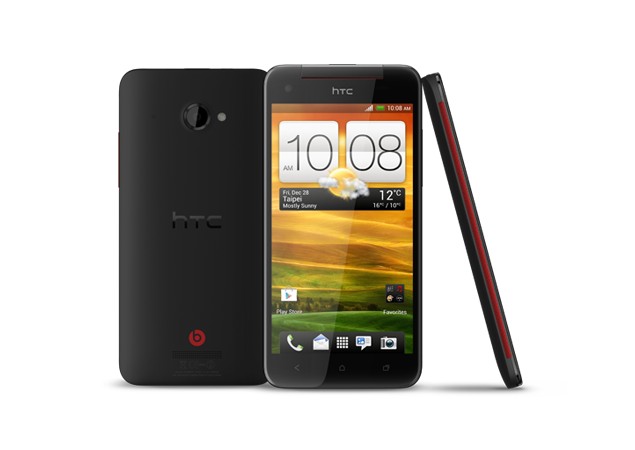 HTC has launched its flagship smartphone , the HTC Butterfly in India.
The smartphone sports a 5-inch Super LCD 3 1920x1080p display with
Corning Gorilla Glass 2 and a pixel density of 441 pixels-per-inch. This
is the first full-HD smartphone to debut in India and carries a retail
tag of Rs. 45,990 (MRP Rs. 49,900).
HTC has launched its flagship smartphone , the HTC Butterfly in India.
The smartphone sports a 5-inch Super LCD 3 1920x1080p display with
Corning Gorilla Glass 2 and a pixel density of 441 pixels-per-inch. This
is the first full-HD smartphone to debut in India and carries a retail
tag of Rs. 45,990 (MRP Rs. 49,900).
Other features of the HTC Butterfly include 1.5GHz
Qualcomm S4 Pro quad-core processor along with 2GB RAM. There is 16GB of
internal storage, which is expandable up to 32GB. The smartphone runs
on Android 4.1 (Jelly Bean) and comes with a layer of HTC Sense 4+. The
smartphone comes with an 8-megapixel rear and 2-megapixel front cameras.
HTC Butterfly has a 2,020mAh battery. Connectivity options include
HDMI out, Micro-USB, Infrared, Wi-Fi, Bluetooth 4.0, and NFC.HTC has launched its flagship smartphone , the HTC Butterfly in India.
The smartphone sports a 5-inch Super LCD 3 1920x1080p display with
Corning Gorilla Glass 2 and a pixel density of 441 pixels-per-inch. This
is the first full-HD smartphone to debut in India and carries a retail
tag of Rs. 45,990 (MRP Rs. 49,900).The smartphone will be available in the market later this month.
The smartphone was unveiled in October 2012 and is started retailing in markets like Australia and Europe earlier in the month. It is retailing in US as HTC Droid DNA (with some modifications) through Verizon. HTC is said to be working on another flagship smartphone, the HTC M7 that has been leaked extensively over the past few months. This smartphone is expected to be launched at the forthcoming Mobile World Congress (MWC) or even earlier at a separate event in London.
Key specifications of HTC Butterfly
- 5-inch Super LCD 3 1920x1080p display with Corning Gorilla Glass 2 (441 ppi)
- 1.5GHz Qualcomm S4 Pro quad-core processor
- 2GB RAM
- 16GB internal storage (expandable by another 32GB)
- 8-megapixel rear camera
- 2-megapixel front camera
- Android 4.1 (Jelly Bean) with HTC Sense 4+
- 2, 020mAh battery
- HDMI out, Micro-USB, Infrared
- Wi-Fi, Bluetooth 4.0, NFC
- 143 x 70.5 x 9.08 mm
- 140 grams with battery
Tuesday, 22 January 2013
0
Tuesday, 22 January 2013
PRABH KARAN SINGH
Micromax A116 Canvas HD Specifications
Read more...
Micromax A116 Canvas HD with 5-inch HD display, 1.2 GHz quad-core processor, Android 4.1 announced
Micromax A116 Canvas HD with 5-inch HD display, 1.2 GHz quad-core processor, Android 4.1 announced
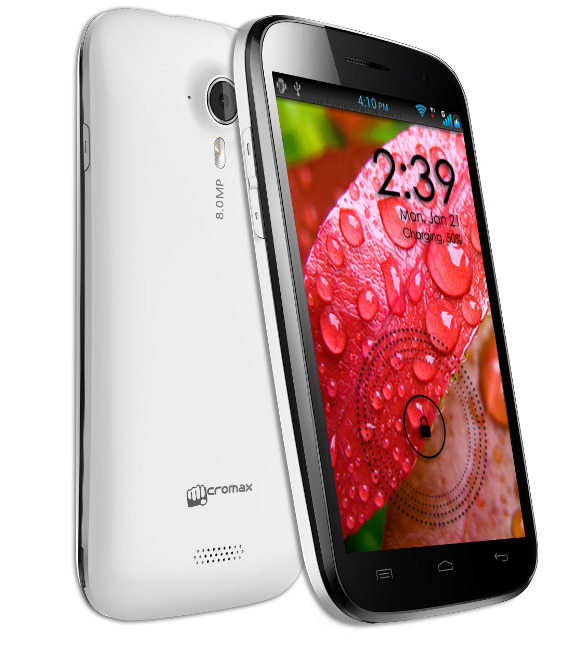
Micromax has announced the A116 Canvas HD, their new Flagship device. It has a 5-inch (1280 x 720 pixels) HD IPS display, powered by a 1.2 GHz quad-core MediaTek MT6589 processor and runs on Android 4.1 (Jelly Bean). It has a 8MP rear camera with LED Flash and a VGA front-facing camera. It also comes with Hookup Instant messaging app. Micromax launched the A110 Superfone Canvas 2 and the A90S Superfone Pixel powered by dual-core processor last year.
Micromax A116 Canvas HD Specifications
- 5-inch (1280 x 720 pixels) HD IPS 16.7 million color display
- 1.2 GHz quad-core MediaTek MT6589 processor
- Android 4.1 (Jelly Bean)
- 8MP rear camera with LED Flash, VGA front-facing camera
- 3.5mm audio jack
- 1GB RAM, 4GB internal memory, 32GB expandable memory with MicroSD
- 3G, WiFi 802.11 b/g/n, Bluetooth, GPS/A-GPS
- 2100 mAh battery
Tuesday, 8 January 2013
1
Tuesday, 8 January 2013
PRABH KARAN SINGH
Design and Build

The 5-inch LCD display has quite a low resolution of 854 x 480 which makes images, icons, etc. lose their sharpness. The screen doesn’t appear to be of a very good quality either as the viewing angles are pretty poor and there’s terrible banding throughout. We now know where Micromax has cut corners in order to offer this phone at the same price point.

Overall, the Canvas 2 is built well but is too bulky and quite heavy as well. We could have done without the chrome trim along the edges which quite frankly, gives the phone a cheap look. But then again, it is a cheap phone so there’s that. Unfortunately, the placement of the microSD card does not allow for hot-swap as the battery gets in the way.
Features
Interface
The Canvas 2 A110 sticks to the stock interface of Android Ice Cream Sandwich for the most part, except for some changes to the notification bar, where we now have side-scrollable toggle switches. The UI is far from smooth though, which is a bit strange when you consider the fact that it’s powered by a dual-core CPU. It all makes sense when you take a closer look at the type of SoC used. Instead of a Qualcomm or TI OMAP, Micromax has used the MT6577 SoC from MediaTek. This comprises of a dual-core 1GHz Cortex-A9 CPU and PowerVR GPU. This SoC is specifically designed for the sub-$200 smartphone segment and has the potential to support up to 720p displays and record videos at 1080p. Unfortunately, Micromax has not exploited its full potential, which is why we have to live with lag in the UI. Another important feature that’s missing is an ambient light sensor.

Other than the stock UI and apps, Micromax has added a SIM management option to set the default card for call, messages, Internet, etc. Both SIMs can be active at the same time if needed. Another feature added is a scheduled power off option, which lets you switch the phone on or off at a designated time and day of the week.
Media

Connectivity and Misc. apps
The Micromax Canvas 2 only supports two bands for 2G and just one for 3G, which means you won’t be able to use this on all networks around the world. Other connectivity features include Wi-Fi ‘n’, Bluetooth v3.0 and USB plug-and-play support. Other than the Play Store, Micromax also bundles their M! Store and M!Zone for added content. The bundled apps include some games like Cricket Fever, Fruit Devil along with some productivity apps like File Manager, M! Buddy and HookUp.

Camera
The upgraded 8MP shooter manages to capture decent outdoor images with pretty accurate colours and good amounts of detail. Touch-to-focus and face detection is also present along with many scene modes. Indoor picture quality is not the best and the dual-LED flash isn’t very powerful in illuminating a dark area. Macro shots fare pretty well with a decent amount of detail and depth of field.

Video recording maxes out at 720p but the quality is not very good since the recorded file is not an MP4 video but 3gp. It’s a little strange that Micromax would limit the video recording capabilities to just 720p when clearly, the 8MP sensor and dual-core CPU could easily handle more.
Battery Life
The Canvas 2 come fitted with a 2000mAh battery pack, which is clearly not enough to power such a huge screen for the entire day. We got just about 7-hours in our video drain test. We expected a bigger battery given the size of the phone. The phone lasted about 6-hours and 15-minutes in our loop tests which included an hour of calls, two hours of music, two hours of music and the rest was taken up by audio streaming over Wi-Fi.
Verdict and Price in India
Micromax has priced the Superfone Canvas 2 at Rs 9,990, which is the same price as the first Canvas. However, in order to achieve this, they’ve seem to have compromised a bit too much on performance. The type of panel used is quite poor, the dual-core CPU doesn’t seem to be put to good use as the UI is very laggy and the phone cannot handle video beyond 720p. Crucial features like an ambient light sensor and quad-band functionality also seem to be missing. Overall, the A110 turned out to be a bit of a disappointment and we’d advice you give this a pass.
Manufacturer: Micromax
Type: Smartphone
OS: Ice Cream Sandwich 4.0.4
Price Category: Rs. 5,000-10,000
:
:
:
:
:
:
:
:
:
:
:
:
:
:
:
Read more...
Micromax Superfone Canvas 2 A110
Micromax Superfone Canvas 2 A110
With the huge success of the Superfone Canvas A100, Micromax has decided to do raise the bar once again for what a sub-10K Android smartphone should look like. With the same massive 5-inch screen making a comeback, they’ve managed to fit in a dual-core CPU this time – all for the same price as the previous one. Too good to be true?
Design and Build
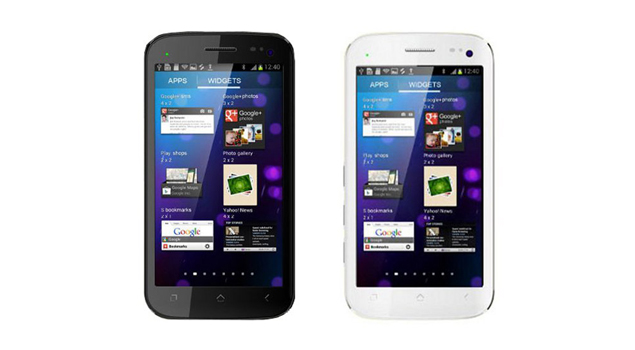
The Canvas 2 A110 once again
borrows many design cues from the Galaxy Nexus. The chrome trim along
the side is shaped in such a way so as to create an illusion of a curved
glass. You get a nice chunky volume rocker on one side along with a
power/sleep button on the other side. The phone appears larger than it
actually is due to thick bezels on either side. There is a row of
sensors beside the chrome plated earpiece and the back cover is quite
sturdy and doesn’t scratch easily. The matt finish helps keep
fingerprints away. The 8MP shooter produces quite a bulge at the back so
you need to be careful as the lens cover will scratch easily.

The 5-inch LCD display has quite a low resolution of 854 x 480 which makes images, icons, etc. lose their sharpness. The screen doesn’t appear to be of a very good quality either as the viewing angles are pretty poor and there’s terrible banding throughout. We now know where Micromax has cut corners in order to offer this phone at the same price point.

Overall, the Canvas 2 is built well but is too bulky and quite heavy as well. We could have done without the chrome trim along the edges which quite frankly, gives the phone a cheap look. But then again, it is a cheap phone so there’s that. Unfortunately, the placement of the microSD card does not allow for hot-swap as the battery gets in the way.
Features
Interface
The Canvas 2 A110 sticks to the stock interface of Android Ice Cream Sandwich for the most part, except for some changes to the notification bar, where we now have side-scrollable toggle switches. The UI is far from smooth though, which is a bit strange when you consider the fact that it’s powered by a dual-core CPU. It all makes sense when you take a closer look at the type of SoC used. Instead of a Qualcomm or TI OMAP, Micromax has used the MT6577 SoC from MediaTek. This comprises of a dual-core 1GHz Cortex-A9 CPU and PowerVR GPU. This SoC is specifically designed for the sub-$200 smartphone segment and has the potential to support up to 720p displays and record videos at 1080p. Unfortunately, Micromax has not exploited its full potential, which is why we have to live with lag in the UI. Another important feature that’s missing is an ambient light sensor.

Other than the stock UI and apps, Micromax has added a SIM management option to set the default card for call, messages, Internet, etc. Both SIMs can be active at the same time if needed. Another feature added is a scheduled power off option, which lets you switch the phone on or off at a designated time and day of the week.
Media
Audio is handled by the stock music player of
ICS. The quality of audio is strictly average even with a good pair of
earphones. The rear speaker is quite loud so you won’t miss any of the
alerts even in a noisy place. You get 4GB of internal memory and a slot
for expanding it up to 32GB. Video playback leaves a lot to be desired.
First of all, the Canvas 2 can only handle up to 720p video playback
smoothly. MP4 files play well in the stock player but AVI, MKV, etc.
have trouble playing back even in MX Player. The colour reproduction is
good but the viewing angles are weak so you have to hold the phone just
right for a decent experience.

Connectivity and Misc. apps
The Micromax Canvas 2 only supports two bands for 2G and just one for 3G, which means you won’t be able to use this on all networks around the world. Other connectivity features include Wi-Fi ‘n’, Bluetooth v3.0 and USB plug-and-play support. Other than the Play Store, Micromax also bundles their M! Store and M!Zone for added content. The bundled apps include some games like Cricket Fever, Fruit Devil along with some productivity apps like File Manager, M! Buddy and HookUp.

Camera
The upgraded 8MP shooter manages to capture decent outdoor images with pretty accurate colours and good amounts of detail. Touch-to-focus and face detection is also present along with many scene modes. Indoor picture quality is not the best and the dual-LED flash isn’t very powerful in illuminating a dark area. Macro shots fare pretty well with a decent amount of detail and depth of field.

Video recording maxes out at 720p but the quality is not very good since the recorded file is not an MP4 video but 3gp. It’s a little strange that Micromax would limit the video recording capabilities to just 720p when clearly, the 8MP sensor and dual-core CPU could easily handle more.
Battery Life
The Canvas 2 come fitted with a 2000mAh battery pack, which is clearly not enough to power such a huge screen for the entire day. We got just about 7-hours in our video drain test. We expected a bigger battery given the size of the phone. The phone lasted about 6-hours and 15-minutes in our loop tests which included an hour of calls, two hours of music, two hours of music and the rest was taken up by audio streaming over Wi-Fi.
Verdict and Price in India
Micromax has priced the Superfone Canvas 2 at Rs 9,990, which is the same price as the first Canvas. However, in order to achieve this, they’ve seem to have compromised a bit too much on performance. The type of panel used is quite poor, the dual-core CPU doesn’t seem to be put to good use as the UI is very laggy and the phone cannot handle video beyond 720p. Crucial features like an ambient light sensor and quad-band functionality also seem to be missing. Overall, the A110 turned out to be a bit of a disappointment and we’d advice you give this a pass.
Manufacturer: Micromax
Sunday, 3 June 2012
0
Sunday, 3 June 2012
PRABH KARAN SINGH

Are you looking for a guide to root your Samsung Galaxy Ace S5830, I’ll tell you that how you can root your Samsung Galaxy Ace S5830 running on Android 2.3.5 Gingerbread DDKQ5 or DDKQ6, if you don’t know about your Samsung Galaxy Ace S5830 firmware, you can check just go to Settings > About Phone > Firmware Version.
Please note that if root your device, it will void warranty of device however if you can afford this lose, see below guide to root your device. Before you start please make a backup of your data, call log, SMS files, music files because this procedure will wipe app data. Please disable all firewall and antivirus software on your PC, if you’ve installed Samsung Kies PC Suite, disable it too. Your device should be charged at least 70%, and enable USB Debugging on your phone by going to Settings > Applications > Development > USB Debugging.
Step By Step Guide:
Step #1: Download Galaxy ACE Rooting Package to your computer here.
Step #2: Connect your device your computer using USB cable.
Step #3: Copy the downloaded ZIP file to your phone’s SD card, and don’t rename or modifying the file.
Step #4: Switch off your phone and reboot into recovery mode by simultaneously pressing and holding the Volume Up + OK button, and pressing the Power button.
Step #5: Your phone will boot to the recovery mode screen. From here, choose “Install zip from SD Card” and select “Choose Zip from SD”.
Step #6: Locate the ZIP file that you just copied to your SD card (the one named “upd_1.zip”) by using the Volume Up and Volume Down keys. Press the Power button to select it.
Step #7: Wait for about 5 – 10 minutes for the rooting process to finish.
Step #8: Your phone will automatically reboot once the rooting process is done. If it fails to do so, go back to the main menu by selecting “++++ Go Back ++++” and select “Reboot System Now” to manually reboot your phone.
Step #9: That’s it, you’ve rooted your device.
Subscribe us via E-mail and Add us on Facebook for daily updates and Plz also do click once on the ads displaying below or above the post for us.. :)
Read more...
Tutorial: How to Flash and Root Samsung Galaxy Ace S5830

Are you looking for a guide to root your Samsung Galaxy Ace S5830, I’ll tell you that how you can root your Samsung Galaxy Ace S5830 running on Android 2.3.5 Gingerbread DDKQ5 or DDKQ6, if you don’t know about your Samsung Galaxy Ace S5830 firmware, you can check just go to Settings > About Phone > Firmware Version.
Please note that if root your device, it will void warranty of device however if you can afford this lose, see below guide to root your device. Before you start please make a backup of your data, call log, SMS files, music files because this procedure will wipe app data. Please disable all firewall and antivirus software on your PC, if you’ve installed Samsung Kies PC Suite, disable it too. Your device should be charged at least 70%, and enable USB Debugging on your phone by going to Settings > Applications > Development > USB Debugging.
Step By Step Guide:
Step #1: Download Galaxy ACE Rooting Package to your computer here.
Step #2: Connect your device your computer using USB cable.
Step #3: Copy the downloaded ZIP file to your phone’s SD card, and don’t rename or modifying the file.
Step #4: Switch off your phone and reboot into recovery mode by simultaneously pressing and holding the Volume Up + OK button, and pressing the Power button.
Step #5: Your phone will boot to the recovery mode screen. From here, choose “Install zip from SD Card” and select “Choose Zip from SD”.
Step #6: Locate the ZIP file that you just copied to your SD card (the one named “upd_1.zip”) by using the Volume Up and Volume Down keys. Press the Power button to select it.
Step #7: Wait for about 5 – 10 minutes for the rooting process to finish.
Step #8: Your phone will automatically reboot once the rooting process is done. If it fails to do so, go back to the main menu by selecting “++++ Go Back ++++” and select “Reboot System Now” to manually reboot your phone.
Step #9: That’s it, you’ve rooted your device.
Subscribe us via E-mail and Add us on Facebook for daily updates and Plz also do click once on the ads displaying below or above the post for us.. :)
Tuesday, 28 February 2012
0
Tuesday, 28 February 2012
PRABH KARAN SINGH

You may not realize that walking around with Bluetooth enabled on your cell phone leaves you vulnerable to hackers. They can easily connect and manipulate your phone simply by using a Bluetooth connection. We’re here to explain how it’s done and how to protect yourself from such an attack.
Bluetooth is a short-range wireless communication technology that uses the 2.4-GHz frequency range for its transmission. Most new cell phone have Bluetooth by default these days for things like wireless headsets, in-car connectivity, syncing with a computer and many other uses. While Bluetooth has proved to be a very useful tool for cell phone, many are unaware that it opens doors to hackers.
Cell phone and the telecommunication industry as a whole, was once a “closed network,” meaning the technology used was closed from outside hackers (for the most part). Today, as cell phones become more like mini-computers, the industry has opened up, so to speak, and just like computers have always been susceptible to attacks, the same is now true for cell phones and mobile device
Up until Bluetooth was incorporated on cell phones, the only communication method used by the device was the carrier or network connection. Now that Bluetooth has been associated, it provides a perfect entry point for manipulation. The fact that cell phones carry a lot of private data these days, makes “Bluetooth Attacks” even more scary. While simply having Bluetooth as a feature on your cell phone doesn’t make you vulnerable to attacks, walking around with the Bluetooth function enabled and “visible” does. Many people turn on Bluetooth to use a headset or sync with their computer, and then simply forget to turn it back off when they’re done. This is why Bluetooth hacking has become so prevalent and so easy to do.
When Bluetooth is enabled on your device, it’s essentially broadcasting the fact that“I’m here, and I’m able to connect” to any other Bluetooth-based devices within range. This makes using Bluetooth simple and straightforward for the consumer, but also lets hackers know which ones to target very easily. Here’s how it’s done; a hacker can simply download some special software and install it on a laptop or netbook. He can then install a Bluetooth antenna to that computer and put everything in a backpack, briefcase, etc. Now, all he has to do is walk around public places where a lot of people are concentrated, and let the computer running in his bag do all the work while no one has any idea what’s happening.
The software on the computer will constantly scan the nearby surroundings of the hacker for active Bluetooth connections, and when it finds them, can do a variety of things without the owner having any idea what’s going on. The entire process is automated for the hacker as well, so all he has to do is walk around for as long as he can and collect as much data as possible, which he can then manipulate. Some attacks are less damaging from others, but Bluetooth allows the hacker to do many things.
Once the hacker’s software finds and connects to a vulnerable Bluetooth-enabled cell phone, it can do things like download address book information, photos, calendars, SIM card details, make long-distance phone calls using the hacked device, bug phone calls and much more. There’s a myriad of software freely available that’s made specifically to attack cell phones via Bluetooth connections, and every time an update to the technology or certain cell phones becomes available there’s bound to be new hacking software for it. Certain attacks have become so prevalent that they even have names these days;
“Bluesnarfing” is the term associated with downloading any and all information from a hacked device, and can even allow the hacker to send a “corruption code” to completely shut the phone down and make it unusable. “Bluebugging” is an even scarier hack- it involves using special software to connect to a device and silently making it call another device, usually one the hacker is using, to act as a phone bug. The hacker can then listen in on anything you and anyone around you is saying. Beyond these attacks, hackers can use software to route long-distance calls to worldwide locations to your phone using Bluetooth, which in turn sticks you with the carrier roming charge Likewise, a hacked phone can even remotely be used to make “micro-purchases,” or purchases that show up on subscriber’s monthly bills.
The possibilities are virtually endless, and these are just a few examples of what can be done utilizing the Bluetooth connection on cell phones. Many think that they’re safe from such attacks because Bluetooth is such a short-range communication method- a hacker would have to be within a few feet to be able to do anything. With special antennae that’s been developed solely for this application, hackers can connect to cell phones that are up to a 1000 feet and more away. The entire process is just to easy for hackers, all they need is some special software, an antenna of some sort and some basic knowledge.
Luckily, not all Bluetooth-enabled cell phones are vulnerable to all attacks. Bluesnarfing and other attacks may work while bluebugging doesn’t on one make and model of cell phone, while only bluebugging and nothing else works on another. That’s why hackers generally setup a variety of hacks, and when they’re out and about performing their attacks on un-suspecting victims, the software will automatically identify the call phone model and attack it accordingly in any way it knows how. The bottom line is any cell phone that has built-in Bluetooth can be hacked, it’s just a matter of what type of hacks can be performed.
The best way to avoid such an attack is to simply remember to turn off your Bluetooth when you’re not using it. A lot of people will simply put Bluetooth in “hidden,” or “private” mode which they think will hide themselves from attacks, but in reality, hackers have already figured out how to find them. Disabling the function altogether is the only way to curb an attack. Bluetooth hacking hasn’t become as big a problem in the US as it has elsewhere where Bluetooth is almost ubiquitous, but it will soon.
In Europe, people use Bluetooth and their cell phones to make purchases and to store very critical financial and personal information. Bluetooth hacking becomes much more serious when they have access to such delicate information. As that technology moves its way to the US, we’ll have to deal with the same issues, that’s why it’s important to know how it all works and how to proactively protect yourself.
Subscribe us via E-mail and Add us on Facebook for daily updates and Plz also do click once on the ads displaying below or above the post for us.. :)
Read more...
How to hack mobile phone,How to hack Bluetooth cell phones
You may not realize that walking around with Bluetooth enabled on your cell phone leaves you vulnerable to hackers. They can easily connect and manipulate your phone simply by using a Bluetooth connection. We’re here to explain how it’s done and how to protect yourself from such an attack.
Bluetooth is a short-range wireless communication technology that uses the 2.4-GHz frequency range for its transmission. Most new cell phone have Bluetooth by default these days for things like wireless headsets, in-car connectivity, syncing with a computer and many other uses. While Bluetooth has proved to be a very useful tool for cell phone, many are unaware that it opens doors to hackers.
Cell phone and the telecommunication industry as a whole, was once a “closed network,” meaning the technology used was closed from outside hackers (for the most part). Today, as cell phones become more like mini-computers, the industry has opened up, so to speak, and just like computers have always been susceptible to attacks, the same is now true for cell phones and mobile device
Up until Bluetooth was incorporated on cell phones, the only communication method used by the device was the carrier or network connection. Now that Bluetooth has been associated, it provides a perfect entry point for manipulation. The fact that cell phones carry a lot of private data these days, makes “Bluetooth Attacks” even more scary. While simply having Bluetooth as a feature on your cell phone doesn’t make you vulnerable to attacks, walking around with the Bluetooth function enabled and “visible” does. Many people turn on Bluetooth to use a headset or sync with their computer, and then simply forget to turn it back off when they’re done. This is why Bluetooth hacking has become so prevalent and so easy to do.
When Bluetooth is enabled on your device, it’s essentially broadcasting the fact that“I’m here, and I’m able to connect” to any other Bluetooth-based devices within range. This makes using Bluetooth simple and straightforward for the consumer, but also lets hackers know which ones to target very easily. Here’s how it’s done; a hacker can simply download some special software and install it on a laptop or netbook. He can then install a Bluetooth antenna to that computer and put everything in a backpack, briefcase, etc. Now, all he has to do is walk around public places where a lot of people are concentrated, and let the computer running in his bag do all the work while no one has any idea what’s happening.
The software on the computer will constantly scan the nearby surroundings of the hacker for active Bluetooth connections, and when it finds them, can do a variety of things without the owner having any idea what’s going on. The entire process is automated for the hacker as well, so all he has to do is walk around for as long as he can and collect as much data as possible, which he can then manipulate. Some attacks are less damaging from others, but Bluetooth allows the hacker to do many things.
Once the hacker’s software finds and connects to a vulnerable Bluetooth-enabled cell phone, it can do things like download address book information, photos, calendars, SIM card details, make long-distance phone calls using the hacked device, bug phone calls and much more. There’s a myriad of software freely available that’s made specifically to attack cell phones via Bluetooth connections, and every time an update to the technology or certain cell phones becomes available there’s bound to be new hacking software for it. Certain attacks have become so prevalent that they even have names these days;
“Bluesnarfing” is the term associated with downloading any and all information from a hacked device, and can even allow the hacker to send a “corruption code” to completely shut the phone down and make it unusable. “Bluebugging” is an even scarier hack- it involves using special software to connect to a device and silently making it call another device, usually one the hacker is using, to act as a phone bug. The hacker can then listen in on anything you and anyone around you is saying. Beyond these attacks, hackers can use software to route long-distance calls to worldwide locations to your phone using Bluetooth, which in turn sticks you with the carrier roming charge Likewise, a hacked phone can even remotely be used to make “micro-purchases,” or purchases that show up on subscriber’s monthly bills.
The possibilities are virtually endless, and these are just a few examples of what can be done utilizing the Bluetooth connection on cell phones. Many think that they’re safe from such attacks because Bluetooth is such a short-range communication method- a hacker would have to be within a few feet to be able to do anything. With special antennae that’s been developed solely for this application, hackers can connect to cell phones that are up to a 1000 feet and more away. The entire process is just to easy for hackers, all they need is some special software, an antenna of some sort and some basic knowledge.
Luckily, not all Bluetooth-enabled cell phones are vulnerable to all attacks. Bluesnarfing and other attacks may work while bluebugging doesn’t on one make and model of cell phone, while only bluebugging and nothing else works on another. That’s why hackers generally setup a variety of hacks, and when they’re out and about performing their attacks on un-suspecting victims, the software will automatically identify the call phone model and attack it accordingly in any way it knows how. The bottom line is any cell phone that has built-in Bluetooth can be hacked, it’s just a matter of what type of hacks can be performed.
The best way to avoid such an attack is to simply remember to turn off your Bluetooth when you’re not using it. A lot of people will simply put Bluetooth in “hidden,” or “private” mode which they think will hide themselves from attacks, but in reality, hackers have already figured out how to find them. Disabling the function altogether is the only way to curb an attack. Bluetooth hacking hasn’t become as big a problem in the US as it has elsewhere where Bluetooth is almost ubiquitous, but it will soon.
In Europe, people use Bluetooth and their cell phones to make purchases and to store very critical financial and personal information. Bluetooth hacking becomes much more serious when they have access to such delicate information. As that technology moves its way to the US, we’ll have to deal with the same issues, that’s why it’s important to know how it all works and how to proactively protect yourself.
Subscribe us via E-mail and Add us on Facebook for daily updates and Plz also do click once on the ads displaying below or above the post for us.. :)
Friday, 5 August 2011
1
Friday, 5 August 2011
PRABH KARAN SINGH
Read more...
Bluetooth Hacking Using Super Bluetooth Hack!
This is a cool tutorial on how to hack mobile phone via bluetooth using the Super Bluetooth Hack software. The software (super bluetooth hack) makes it very simple to hack mobile phones via bluetooth and become a bluetooth spy. Its very easy!
This is a tutorial on how to hack Sony Ericsson and Nokia mobile phones via bluetooth using Super Bluetooth Hack software.
First download the program called “Super Bluetooth Hack” (also known as “BT Info“)
Download from http://www.mediafire.com/?mg2mmirzzz3
Using this program you can do the following things on the other phone:
open and read SMS
open phone book
change profiles
play ring tones (even if phone is on silent)
play songs/mp3s
restart and turn off the phone
restore factory settings
change ringing volume
make a call from the other phone (it includes all call functions like hold etc.)
Instructions
1.) When the devices are connecting, use 0000 as the code
2.) Bluetooth must be turned on, on both devices before you run the BT application. if you forget to turn it on, close the application than turn on the bluetooth and than run the application again.
3.) Download the file
5.) Extract and send the SuperBluetoothHack_v108.jar to your phone and open it.
Installation instructions for a Sony Ericsson using a USB cable:
1. Connect your phone with your computer.
2. It mounts as a disk.
3. Drag the file that you have just downloaded (SuperBluetoothHack_v108.jar) to /MSSEMC/Media files/other/ on that disk (=your phone).
4. Disconnect the USB cable from your phone.
5. Go to the folder “Other” on your phone.
6. There is the application. Select it and click “Install”.
7. The program is installed on the place you specified. Most likely it’s the Applications folder.
Change the language to English:
If the software starts with the language “Slovencina”, you can change it to English on this way:
1.If you start the application for the first time you see “Nastavenia” in the title.
2. Go a bit down until you see “Jazyk”.
3. Click choose.
4. Select “English”.
5. Click “More”.
6. Click “Spat”.
7. Now the program is in English.
Subscribe us via E-mail and Add us on Facebook for daily updates and Plz also do click once on the ads displaying below or above the post for us.. :)
0
PRABH KARAN SINGH
 You may not realize that walking around with Bluetooth enabled on your cell phone leaves you vulnerable to hackers. They can easily connect and manipulate your phone simply by using a Bluetooth connection. We’re here to explain how it’s done and how to protect yourself from such an attack.
Read more...
How to hack Bluetooth cell phones | how to protect yourself
You may not realize that walking around with Bluetooth enabled on your cell phone leaves you vulnerable to hackers. They can easily connect and manipulate your phone simply by using a Bluetooth connection. We’re here to explain how it’s done and how to protect yourself from such an attack. Bluetooth is a short-range wireless communication technology that uses the 2.4-GHz frequency range for its transmission. Most new cell phones have Bluetooth by default these days for things like wireless headsets, in-car connectivity, syncing with a computer and many other uses. While Bluetooth has proved to be a very useful tool for cell phones, many are unaware that it opens doors to hackers.
Cell phones, and the telecommunication industry as a whole, was once a “closed network,” meaning the technology used was closed from outside hackers (for the most part). Today, as cell phones become more like mini-computers, the industry has opened up, so to speak, and just like computers have always been susceptible to attacks, the same is now true for cell phones and mobile devices.
Up until Bluetooth was incorporated on cell phones, the only communication method used by the device was the carrier or network connection. Now that Bluetooth has been associated, it provides a perfect entry point for manipulation. The fact that cell phones carry a lot of private data these days, makes “Bluetooth Attacks” even more scary. While simply having Bluetooth as a feature on your cell phone doesn’t make you vulnerable to attacks, walking around with the Bluetooth function enabled and “visible” does. Many people turn on Bluetooth to use a headset or sync with their computer, and then simply forget to turn it back off when they’re done. This is why Bluetooth hacking has become so prevalent and so easy to do.
When Bluetooth is enabled on your device, it’s essentially broadcasting the fact that “I’m here, and I’m able to connect” to any other Bluetooth-based devices within range. This makes using Bluetooth simple and straightforward for the consumer, but also lets hackers know which ones to target very easily. Here’s how it’s done; a hacker can simply download some special software and install it on a laptop or netbook. He can then install a Bluetooth antenna to that computer and put everything in a backpack, briefcase, etc. Now, all he has to do is walk around public places where a lot of people are concentrated, and let the computer running in his bag do all the work while no one has any idea what’s happening.
The software on the computer will constantly scan the nearby surroundings of the hacker for active Bluetooth connections, and when it finds them, can do a variety of things without the owner having any idea what’s going on. The entire process is automated for the hacker as well, so all he has to do is walk around for as long as he can and collect as much data as possible, which he can then manipulate. Some attacks are less damaging from others, but Bluetooth allows the hacker to do many things.
Once the hacker’s software finds and connects to a vulnerable Bluetooth-enabled cell phone, it can do things like download address book information, photos, calendars, SIM card details, make long-distance phone calls using the hacked device, bug phone calls and much more. There’s a myriad of software freely available that’s made specifically to attack cell phones via Bluetooth connections, and every time an update to the technology or certain cell phones becomes available there’s bound to be new hacking software for it. Certain attacks have become so prevalent that they even have names these days;
“Bluesnarfing” is the term associated with downloading any and all information from a hacked device, and can even allow the hacker to send a “corruption code” to completely shut the phone down and make it unusable. “Bluebugging” is an even scarier hack- it involves using special software to connect to a device and silently making it call another device, usually one the hacker is using, to act as a phone bug. The hacker can then listen in on anything you and anyone around you is saying. Beyond these attacks, hackers can use software to route long-distance calls to worldwide locations to your phone using Bluetooth, which in turn sticks you with the carrier roaming charges. Likewise, a hacked phone can even remotely be used to make “micro-purchases,” or purchases that show up on subscriber’s monthly bills.
The possibilities are virtually endless, and these are just a few examples of what can be done utilizing the Bluetooth connection on cell phones. Many think that they’re safe from such attacks because Bluetooth is such a short-range communication method- a hacker would have to be within a few feet to be able to do anything. With special antennae that’s been developed solely for this application, hackers can connect to cell phones that are up to a 1000 feet and more away. The entire process is just to easy for hackers, all they need is some special software, an antenna of some sort and some basic knowledge.
Luckily, not all Bluetooth-enabled cell phones are vulnerable to all attacks. Bluesnarfing and other attacks may work while bluebugging doesn’t on one make and model of cell phone, while only bluebugging and nothing else works on another. That’s why hackers generally setup a variety of hacks, and when they’re out and about performing their attacks on un-suspecting victims, the software will automatically identify the cell phone model and attack it accordingly in any way it knows how. The bottom line is any cell phone that has built-in Bluetooth can be hacked, it’s just a matter of what type of hacks can be performed.
The best way to avoid such an attack is to simply remember to turn off your Bluetooth when you’re not using it. A lot of people will simply put Bluetooth in “hidden,” or “private” mode which they think will hide themselves from attacks, but in reality, hackers have already figured out how to find them. Disabling the function altogether is the only way to curb an attack. Bluetooth hacking hasn’t become as big a problem in the US as it has elsewhere where Bluetooth is almost ubiquitous, but it will soon.
In Europe, people use Bluetooth and their cell phones to make purchases and to store very critical financial and personal information. Bluetooth hacking becomes much more serious when they have access to such delicate information. As that technology moves its way to the US, we’ll have to deal with the same issues, that’s why it’s important to know how it all works and how to proactively protect yourself.
Subscribe us via E-mail and Add us on Facebook for daily updates and Plz also do click once on the ads displaying below or above the post for us.. :)
Wednesday, 27 July 2011
0
Wednesday, 27 July 2011
PRABH KARAN SINGH
 We usually set password for our memory card for privacy and security, but the common mistake every one does at least once in out life time forgetting password. If you set password for mobile memory card, then you should be not forget the password. If you does then the only option is to formate your memory card with the help of the card reader and eventually the loss of all your data stored on it. There is a way to break the security wall. If you are a Symbian device lover then no need to worry about the password. You can crack them in few minutes.
In this tutorial I am going to teach you how to reset your memory card password in easy step. Before we start you need to have X-plore (application used to explore your system files and folder even the hidden folders in your device)
Step1: Install X-Plore in your mobile. If you want to download X-Plore search around internet you can download free trail.
Step2: Open your X-plore apps and Press 0(Zero) and check which you have marked the "show the system files"
Step3: Once you done that now go to the following path C:/Sys/Data/Mmcstore
Step4: Once you reached there you need to press "3" under option to set it in the Hex-viewer
Step5: See the third column you will able to see a line of code ! TMSD02G (c??"?x???6?2?6?2?6). Just check the character between the "?" it is your password ie: 62626
Note: If you have not set the password, then you will not able to gain access to C:/Sys/Data
Read more...
Reset Your Mobile Memory Card Password 2 minutes
In this tutorial I am going to teach you how to reset your memory card password in easy step. Before we start you need to have X-plore (application used to explore your system files and folder even the hidden folders in your device)
Step1: Install X-Plore in your mobile. If you want to download X-Plore search around internet you can download free trail.
Step2: Open your X-plore apps and Press 0(Zero) and check which you have marked the "show the system files"
Step3: Once you done that now go to the following path C:/Sys/Data/Mmcstore
Step4: Once you reached there you need to press "3" under option to set it in the Hex-viewer
Step5: See the third column you will able to see a line of code ! TMSD02G (c??"?x???6?2?6?2?6). Just check the character between the "?" it is your password ie: 62626
Note: If you have not set the password, then you will not able to gain access to C:/Sys/Data
Subscribe to:
Comments
(
Atom
)